
- Каталог оборудования Siemens
- Каталог продуктов Siemens Industry
- Приводная техника
- Преобразователи
- Стандартные преобразователи
- Общая информация о базовых преобразователях SINAMICS V
- Преобразователи частоты общего назначения SINAMICS G
- Преобразователи частоты SINAMICS G110
- Компактные преобразователи SINAMICS G120C
- Преобразователи для насосов, вентиляторов,компрессоров SINAMICS G120P
- Обзор
- Введение
- Преобразователи для насосов, вентиляторов, компрессоров SINAMICS G120P
- Integrated Drive Systems
- SINAMICS G120P, built-in and wall-mounted units, IP20/IP54/IP55
- SINAMICS G120P Cabinet, cabinet units, IP20 to IP54
- Selection and engineering tools
- Инженерные инструменты
- Services and documentation
- Инструменты проектирования
- Сервис и документация
- Стандартные преобразователи SINAMICS G120
- SINAMICS G110M distributed inverters
- Преобразователь частоты SINAMICS G110D для распределенной периферии
- Преобразователи частоты SINAMICS G120D
- Преобразователи SINAMICS G130 формат шасси
- Преобразователь частоты SINAMICS G150 шкафного исполнения
- SINAMICS G180
- Высокопроизводительные преобразователи SINAMICS S
- MICROMASTER
- SIPLUS POSMO A
- SIMODRIVE POSMO
- LOHER DYNAVERT Drive System
- Преобразователи на среднее напряжение
- Преобразователи постоянного тока
- Стандартные преобразователи
- Двигатели переменного тока
- Generators
- Мотор-редукторы
- Flender Gear Units
- Couplings
- Инструментальное программное обеспечение
- Дополнительные компоненты
- Преобразователи
- Техника автоматизации
- Energy
- Автоматизация и безопасность зданий
- Низковольтная коммутационная техника
- Технология безопасности
- Системные решения и продукты для отраслей
- Сервис
- Приводная техника

mySupport documentation
- Информационные материалы
Информационные материалы
mySupport documentation – Compiling personal documents
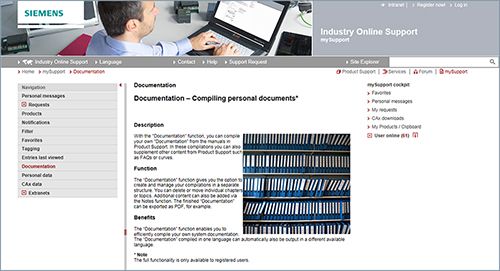
mySupport documentation is a web-based system for generating personalized documentation based on standard documents and is part of the Siemens Industry Online Support portal.
In mySupport, a personal document library can be created in the "Documentation" category. This library can be accessed online in mySupport or also be generated in various formats for offline use.
Previously, this functionality was available in the My Documentation Manager for configurable manuals. Due to the integration in mySupport, all entries of the Industry Online Support can now be imported into the personal document library, including FAQs or product notifications.
If you have already worked with the My Documentation Manager, all of the previously created libraries will continue to be available without restrictions in mySupport.
In addition, the personal library in mySupport can be shared with other mySupport users. In this way, a collection of relevant documents can be created very effectively and used together with other mySupport users all over the world.
You must register/log in for configuring and generating/managing.
Функции
Opening mySupport documentation in the Industry Online Support portal
- About the product support, entry type "Manual":
https://support.industry.siemens.com/cs/ww/en/ps/man
By clicking on the required version of the manual and then "Show and configure", the manual opens in a modular view, where you can navigate from topic to topic. Here the direct link to a topic can be used and made available to other users. The selected document can be added to the personal library via "mySupport Cockpit" > "Add to mySupport documentation". - Via the direct link
https://support.industry.siemens.com/my/ww/en/documentation/advanced
After logon/registration, the online help is displayed as the current document.
Особенности
- Display
View, print or download standard documents or personalized documents - Configure
Transfer standard documents or parts of them to personalized documents - Generate/Manage
Generate and manage personalized documents in the formats PDF, RTF or XML in all available languages
Дальнейшая информация
You can find additional information on the Internet at
- https://support.industry.siemens.com/my/ww/en/documentation
- https://support.industry.siemens.com/cs/helpcenter/en/index.htm?#persoenliche_bibliothek_aufbauen.htm
- About the product support, entry type "Manual":