
- Каталог оборудования Siemens
- Каталог продуктов Siemens Industry
- Приводная техника
- Техника автоматизации
- Системы автоматизации
- Промышленные системы автоматизации SIMATIC
- Motion Control - система SIMOTION
- Системы автоматизации на базе СЧПУ SINUMERIK
- Система соединителей/ шкафы управления
- Программное обеспечение для систем автоматизации
- Системы визуализации SIMATIC HMI
- Системы идентификации
- Промышленные коммуникации SIMATIC NET
- Промышленные аппараты управления SIRIUS
- Промышленные информационные технологии
- Управление на базе РС
- Системы управления процессом
- Контрольно-измерительные приборы
- Анализаторы процесса
- Блоки питания SITOP
- Продукты для специальных требований
- Системы автоматизации
- Energy
- Автоматизация и безопасность зданий
- Низковольтная коммутационная техника
- Технология безопасности
- Системные решения и продукты для отраслей
- Сервис
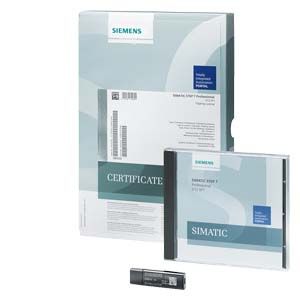
STEP 7 Basic V14 (TIA Portal)
- Заказные данные (4)
- Информационные материалы
Информационные материалы

STEP 7 Basic V14 SP1 (TIA Portal), portal view

STEP 7 Basic V14 (TIA Portal), device view: configuring and parameterizing in realistic photo-quality representation
Intuitive, efficient and future-oriented - the engineering software for programming the SIMATIC controllers
SIMATIC STEP 7 Basic V14 is the engineering system for the S7-1200.
STEP 7 Basic V14 is based on the Totally Integrated Automation Portal (TIA Portal) central engineering framework which offers users a uniform, efficient and intuitive solution to all automation tasks.
New with V14
- Useful function extensions in the language editors for LAD/FBD and SCL
- Systematic further development of language elements for programming (Array[*], Array of multi-instances, etc.)
- Higher-level measurement with Trace
- New configuring of toolbar in the DB Editor
- New system functions, e.g. global search and extended cross-reference information
- Multiple usability expansions for efficient engineering
Область применения
SIMATIC STEP 7 Basic V14, the easy-to-use engineering system for the modular SIMATIC S7-1200 micro PLC, as well as the associated I/O. It contains PLCSIM for simulation purposes and SIMATIC WinCC Basic for configuring the SIMATIC Basic Panels.
STEP 7 Basic V14 thus provides support in all phases of the automation project with SIMATIC S7-1200:
- Configuring and parameterizing the hardware
- Specifying the communication
- Programming in IEC programming editors
- Configuring the visualization
- Test, commissioning and service
Функции
Powerful programming editors for efficient engineering
STEP 7 Basic V14 provides powerful programming editors with optimized compilers for programming the S7-1200 controllers.
- Ladder diagram (LAD)
- Function block diagram (FBD)
- Structured text (SCL)
Comprehensive library concept
The system has a comprehensive library concept for the reuse and simple standardization of frequently used program sections.
Elements such as blocks, tags, alarms, HMI graphics, graphic objects, individual modules or entire stations can be stored along with their parameter assignment in local or global libraries. This means they are available for further programming tasks.
Security Integrated
STEP 7 Basic V14 has password-based know-how protection against unauthorized reading and changing of program block content.
Copy protection offers greater protection against unauthorized copying of program blocks. These can be tied to the serial number of a memory card so that the block can only run if the configured memory card is inserted into the CPU.
In addition, multiple user groups with different access rights can be assigned to the controller by means of four different authorization levels.
Improved manipulation protection offers a greater degree of security against unauthorized changes to the data transferred between STEP 7 and the controller.
Team engineering - simultaneous processing of a task by more than one person
Several individuals frequently work on the same project simultaneously, particularly during the engineering phase of an automation task. With TIA Portal V14 and the PLC proxy function it is possible to develop control and visualization tasks in parallel. Using a PLC proxy it is possible to import data to be visualized from a STEP 7 (TIA Portal) or STEP 7 V5.4 SP3 project into the WinCC V14 visualization project in order to implement the visualization there.
Особенности
- Powerful programming editors for efficient engineering
- Optimum interaction between the controller, HMI and drive in a working environment
- Shared data management and uniform symbols
- System diagnostics as an integral component
- Variables trace for effective commissioning
- Scalable and flexible motion control functionality
- Comprehensive library concept
- Security Integrated
- Migration support for existing hardware and software products
Технические данные
STEP 7 Basic V14 (TIA Portal)
Type of license
Floating license
Software class
A
Current version
V14
Target system
SIMATIC S7-1200
Minimum software and hardware requirements
Processor
Intel Core i3-6100M 2.30 GHz or higher
RAM
4 GB
Hard disk
SATA with at least 8 GB storage space
Network
100 Mbit or more
Screen resolution
1024 x 768
Operating systems
Windows 7 (64-bit)
- Windows 7 Professional SP1
- Windows 7 Enterprise SP1
- Windows 7 Ultimate SP1
Windows 8.1 (64-bit)
- Windows 8.1 Professional
- Windows 8.1 Enterprise
Windows Server (64-bit)
- Windows Server 2008 R2 StdE SP1 (full installation)
- Windows Server 2012 R2 StdE (full installation)
Recommended PC hardware
Computer
SIMATIC Field PG M5 Advanced or higher (or comparable PC)
Processor
Intel Core i5-6440EQ (up to 3.4 GHz)
RAM
16 GB or more (32 GB for large projects)
Hard disk
SSD with at least 50 GB storage space available
Network
1 Gbit (for multi-user)
Screen
15.6" full HD display (1920 x 1080 or higher)
Compatibility with other SIMATIC products
STEP 7 Professional / Basic V14 (incl. WinCC Basic V14) can be installed on a PC in parallel with other versions of STEP 7 V12, V5.4 or V5.5, STEP 7 Micro/WIN, WinCC flexible (from 2008), S7-PCT (from V3.3) and WinCC (from V7.0 SP2).
Дальнейшая информация
TIA Portal highlights
Informative material for downloading is available on the Internet:
http://www.siemens.com/tiaportal
Software download
For up-to-date information and download availability, see:
http://www.siemens.com/tia-online-software-delivery